01 / Start here
First steps in Oakhollow
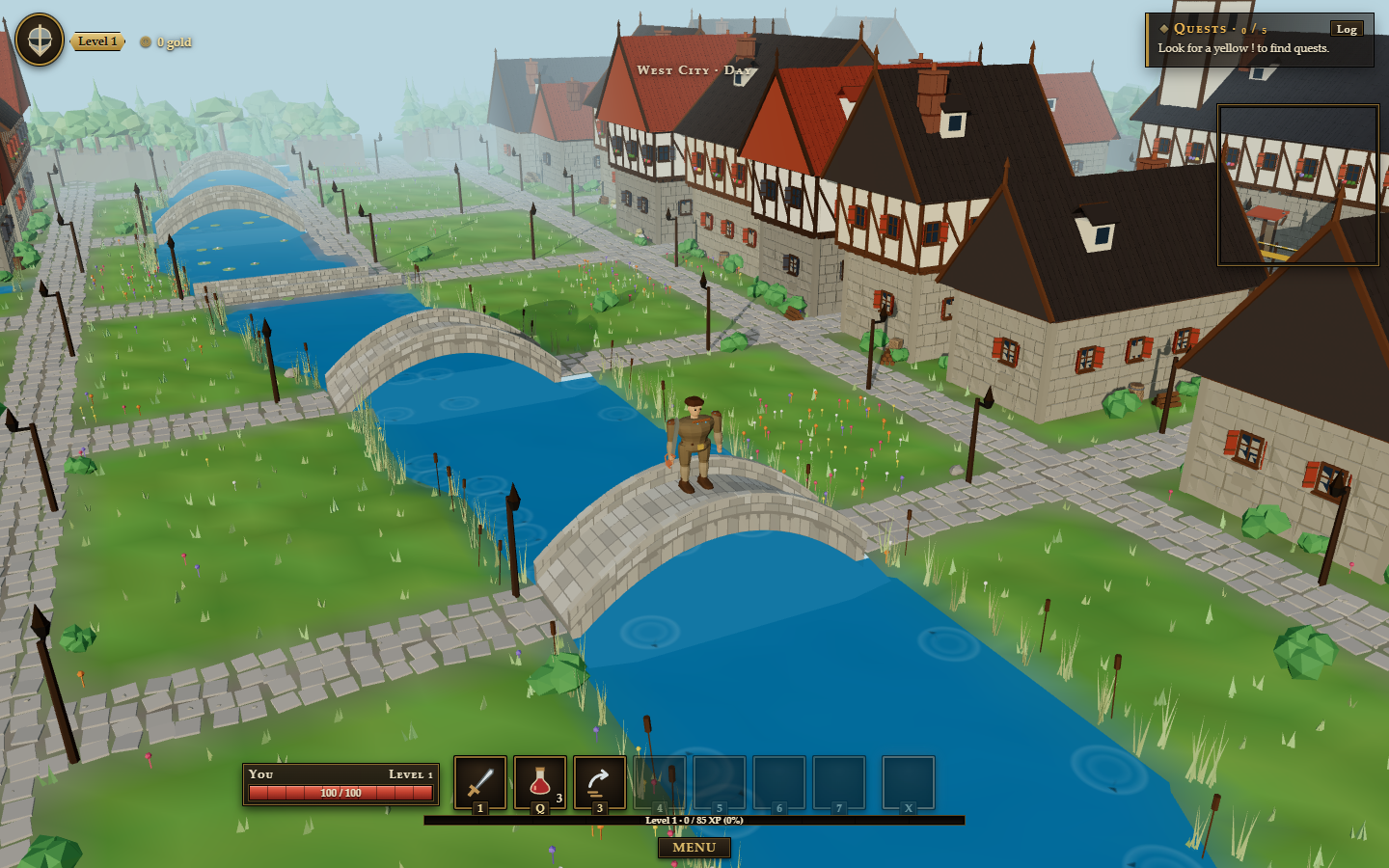
You begin in Oakhollow. Look for a yellow ! above a villager, then click or tap them to walk over and talk. The First Steps guide and the arrow at your feet point toward your next objective.
- Accept a quest from a villager.
- Follow the tracked objective shown near the minimap.
- Return to the person with a ? above their head to claim your reward.
Open your Bag with I to equip new gear. Your Character window is on C. On a phone, find both under Menu. From level 6 the guide tells you when new spells are waiting, and the arrow leads you to your class trainer.
02 / Find your feet
Controls
Walk with W A S D or the arrow keys, or click walkable ground. Hold the right mouse button and drag to turn the camera; use the mouse wheel to zoom. On touch screens, tap to walk, drag with two fingers to turn and pinch to zoom.
E talks, gathers or skins nearby targets. Tab picks a target and Space dodge rolls. 1 to 0 use the ten places of your action bar and X your ultimate; Q drinks a potion. P opens your Spellbook, and Esc closes every open window (with none open, it opens the menu). Open Menu → Keybinds to change your keys.
03 / Follow the story
Quests & story
Press L for your Quest Log, choose a quest and select Track. Its objective appears by the minimap and the ground arrow leads you there. On a phone, open Log from the game controls.
The main story begins with Elder Maren and the old stone east of Oakhollow. Story quests carry a star in the log. Daily and weekly tasks also appear there and reward progress as you complete them.
04 / Stay alive
Combat & classes
Click a creature or use Tab to target it. Your auto-attack starts on its own and swings every 1.5 seconds; use your spells between the swings. Big spells have a cast time: stand still while the bar fills, and know that a hit pushes it back. Every spell starts a short global cooldown, so pick your moment. Watch your red health bar, use Q for a potion and Space to dodge a blow.
Spells aimed at the ground, such as Blizzard or Rain of Arrows, show a ring where they will land: press the key, then click the spot (right click or Esc lets it go). On a phone they land on the creature you fight. The first to hit a creature claims it: a grey name means it belongs to someone else, and your group shares the kills of its members.
At level 5, choose a class with its own role and spells. Talents follow from level 10. If you fall, wait for the respawn button; the panel tells you where you will wake, and What hit me? shows what felled you.
05 / Grow your power
Spells & trainers
Every class has 30 spells, ten in each of its three talent trees, and three ultimates to choose from for X. Open your Spellbook with P and drag spells onto your bar. Learn new spells from your own class trainer in the Hall of Trainers in Kingsford, Highguard or Cliffhaven, marked C on the map; a trainer also resets your talents for free. The Class Master in Oakhollow helps you choose or change your class. The stat Haste makes your swings and casts come sooner, and you can wear two trinkets.
Some foes cast spells too: Bandit Mystics, Troll Hexers, Bog Shamans, the dungeons' healers and their bosses. Watch the cast bar over their heads and in your target frame. Every class has one interrupt that stops a spell before the bar fills, even a boss's: Shield Bash, Pummel, Concussive Shot, Holy Word: Chastise, Discord and Fire Blast, each ready every 20–30 seconds. A stun also breaks off a common creature's spell. A silver cast bar cannot be interrupted: get out of its red ring instead.
06 / Take the road
Map & travel
Press K for the zone and world map, or open Map under Menu. Roads, gates, mountain passes and ships connect regions. Oakhollow's road east leads into Willowbank Vale; the three great cities are Kingsford, Highguard and Cliffhaven.
Discover each Waystone in person. Once both stones are linked, stand beside one to travel to the other. H uses your Hearth to return to your home inn.
07 / Make a living
Gathering & crafting
Open Skills with F. Use E beside trees, ore veins and fishing spots, or tap them on a phone. Your gathering and crafting skills grow as you use them.
Cook fish with a village cook or at a campfire. You can light a campfire with B when you have logs. A smith can turn ore into gear; towns have other crafting stations and vendors.
08 / Earn & store
Trading & storage
Sell unneeded materials and old gear to a shopkeeper. Trade directly with another player through their player menu. Auctioneers let you browse or list goods; your mailbox receives sale proceeds and returned items.
Capital-city bankers hold items outside your bags. Visit a banker to deposit or withdraw. Gold, gear and materials stay with your character when you travel.
09 / Shared world
Groups & dungeons
Click another player's name to whisper, trade, add them as a friend or invite them to a group. Party chat is available when you are grouped. Friends are under O.
Open Dungeon Finder with J to see available dungeons, suggested levels, difficulties and each boss's mechanics. Queue alone or with a group. A group leader can also start with their current group; follow the on-screen ready prompt when a queue forms.
Inside, bosses cast great spells at the whole group and heal themselves: interrupt them. Healers among the packs mend their friends and their boss, so stop them first. Pull a pack back round a corner to where your group waits; a creature that cannot reach anyone gives up and goes home.
10 / Make it yours
Settings & help
Open the in-game Menu for graphics quality, Keybinds, music and sound controls. Music and sound have separate volume sliders. If the game feels slow on your phone, try a lower graphics setting. On a phone the Menu is a short list: tap You, World, People, Addons, Volume, Settings or Account to open it.
Menu → Edit UI lets you drag your health, buffs, quests, chat, action bar, frames and more wherever you like, on a grid that lines them up (hold Alt to place a part freely); double-click a part to put it back, or Reset all. Your phone and your computer keep their own layouts. You can return to the lobby from the Account section of Menu, and the news archive is always in the site navigation above.
No chapters match that search. Try a different word.